What's new in Phasio
New features, improvements, and fixes - shipped regularly.
Review-Required Pricing Gate
Pricing equations can now flag a quote line for mandatory review before the customer sees a price. When triggered, prices are hidden from the customer storefront and checkout is blocked until you approve the quote. This lets you handle complex or exceptional quotes without breaking the automated quoting flow.
→ How to use review-required pricing
Customer Organisation Metadata
Attach custom key-value metadata to any customer organisation - ERP IDs, Shopify customer IDs, internal reference codes, or any external identifier your workflow requires. Metadata is managed from a dedicated panel in the customer organisation settings and is available via API, including a key-based upsert endpoint designed for integrations with external systems.
→ Manage customer organisation metadata
Subscription Payment Overdue Banner
When your Stripe subscription is past-due or in arrears, the manufacturer dashboard now shows a prominent alert banner with a direct link to the Stripe customer portal to update payment details. Subscription status syncs in real time so the banner always reflects current billing state.
Fixed Build Orientation Constraints
Manufacturers can now set a fixed build orientation constraint on a part directly within the quote configuration UI. An interactive 3D model viewer with rotation controls lets you define the required orientation, which is stored against the part specification and submitted with the requisition.
→ Set a build orientation constraint
Customer Article References on Document Templates
Document templates - invoices, packing slips, and similar - can now include a customer-supplied article reference number for each line item. The template variable selector has also been significantly expanded and reorganised, making it easier to find and insert variables when building custom document templates.
→ Template editor variable reference
Billing Address on Storefront
The customer storefront order detail page now shows the billing address alongside shipping details, giving customers a complete view of the addresses on record for each order.
Swedish Language Support
Swedish (SV) is now a fully supported notification and UI language across all platform services. Swedish-speaking customers can receive order confirmations, invoices, project updates, and all other system notifications in their native language. Add a Swedish template variant from the Templates editor to deliver localised documents alongside notifications.
Per-Operator Cart Numbering
Manufacturers now receive sequential, operator-scoped cart reference numbers. Each new cart gets the next number in your operator's sequence, making carts easy to reference in external systems like ERPs or support tickets. Existing carts have been backfilled with numbers so the full history is covered from day one.
Ukrainian Hryvnia (UAH)
The platform can now price and transact in Ukrainian Hryvnia. Exchange rates are sourced from the National Bank of Ukraine (NBU), with automatic fallback to ECB and IMF providers if the NBU API is unavailable — ensuring rate availability even during provider outages.
Bexio & Comatic Accounting Integrations
Two new accounting platforms are now supported: Bexio and Comatic. Manufacturers can sync orders, contacts, quotes, and invoices bidirectionally with both systems — keeping your accounting platform in step with activity on Phasio without manual data entry.
Quote Converted Webhook
A new quote.converted webhook event fires the moment a customer accepts a quote and it transitions to a confirmed order. The event fires exactly once per order, making it safe to use as a trigger for downstream automation — ERP sync, CRM updates, fulfillment triggers, or any integration that needs to act at the point of conversion.
Full payload schema and setup instructions are available in the Developer portal.
Dynamic Template Headers & Footers
Document templates can now define page headers and footers directly in the template HTML editor using reserved element IDs (id="page-header" and id="page-footer"), with no separate API configuration required. This brings header and footer control fully into the visual and source editors alongside the rest of your template.
See the template editor writing guide for syntax and examples.
Checkout Pricing Summary
The customer checkout page now shows a full pricing breakdown in the order sidebar — line items, shipping, taxes, and total — displayed alongside the payment form. Customers get complete pricing context at the point of payment without needing to navigate back to the review screen.
The configure and review flows have been tightened up with clearer pricing feedback, a refactored calculation engine, and a round of fixes across the storefront, order views, and the similar-parts workflow.
Edit Confirmed Orders
Manufacturers can now edit confirmed orders in-place — adjust parts, quantities, and expenses without voiding and recreating the order. Every price change is recorded as an audit trail entry on the order thread, so there's a complete history of what changed and when.
Custom Order References
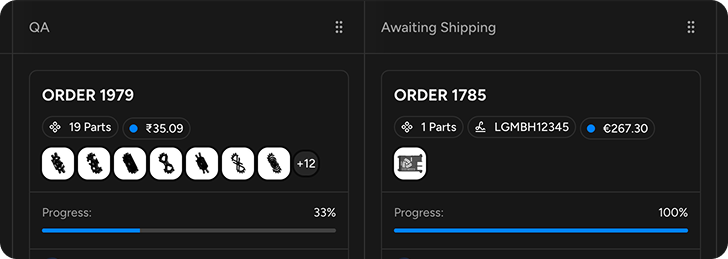
Attach a free-text reference code to any order — an internal PO number, an ERP identifier, or any cross-system tracking code your workflow requires. The reference appears in order lists, kanban cards, and webhook payloads, making it easy to tie Phasio orders back to your existing systems.
Webhook Developer Documentation
A new Developer portal section publishes complete webhook event references for all five supported event types. Each event includes a full payload schema, field descriptions, and setup instructions so your team can integrate without guesswork.
3D Part Viewer in Cart & Review
Customers can now view a full 3D model of any part directly from the cart and review screens. Clicking a part thumbnail opens a modal with the interactive viewer and commenting support — no need to navigate away to inspect a part before placing an order.
Cart-state navigation has also been tightened up: empty-cart users are redirected away from the review screen, and users with items in their cart are guided into the configure flow automatically.
Custom Domain Email
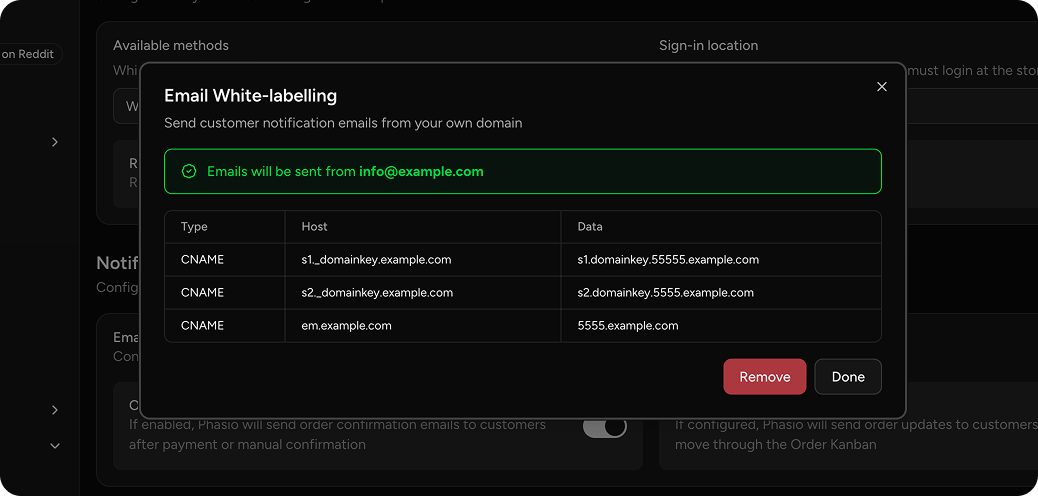
Your platform emails no longer need to come from a generic address. With DNS white-labeling, manufacturers can now authenticate and send all transactional emails quotes, order confirmations, invoices directly from their own domain. This means your customers see emails from orders@yourdomain.com instead of a third-party sender, building trust and reinforcing your brand at every touchpoint.
Setup is straightforward: configure your domain within the platform settings, complete the DNS authentication steps, and all outgoing emails will be routed through your verified domain. The system validates that your sending address matches your authenticated domain to prevent misconfiguration.
Refreshed Email Templates
14 transactional email templates have been redesigned with a modern, consistent layout and enriched data. The following emails now feature the new design:
- Orders: confirmation, creation, acknowledgement, update, tracking, paid, invoice notification, and conversation
- Projects: creation, request creation, conversation, and quote under review
- Account: welcome and one-time password
Order confirmations in particular now include detailed line-item breakdowns, pricing context, and clearer calls to action. Every template is aligned with your workspace branding.
Over the past few weeks, we've been hard at work overhauling the heuristics of manufacturing and purchasability constraints, and we've also revived carts, so customers can now pick up where they left-off quicker than ever.
Manufacturability Issues
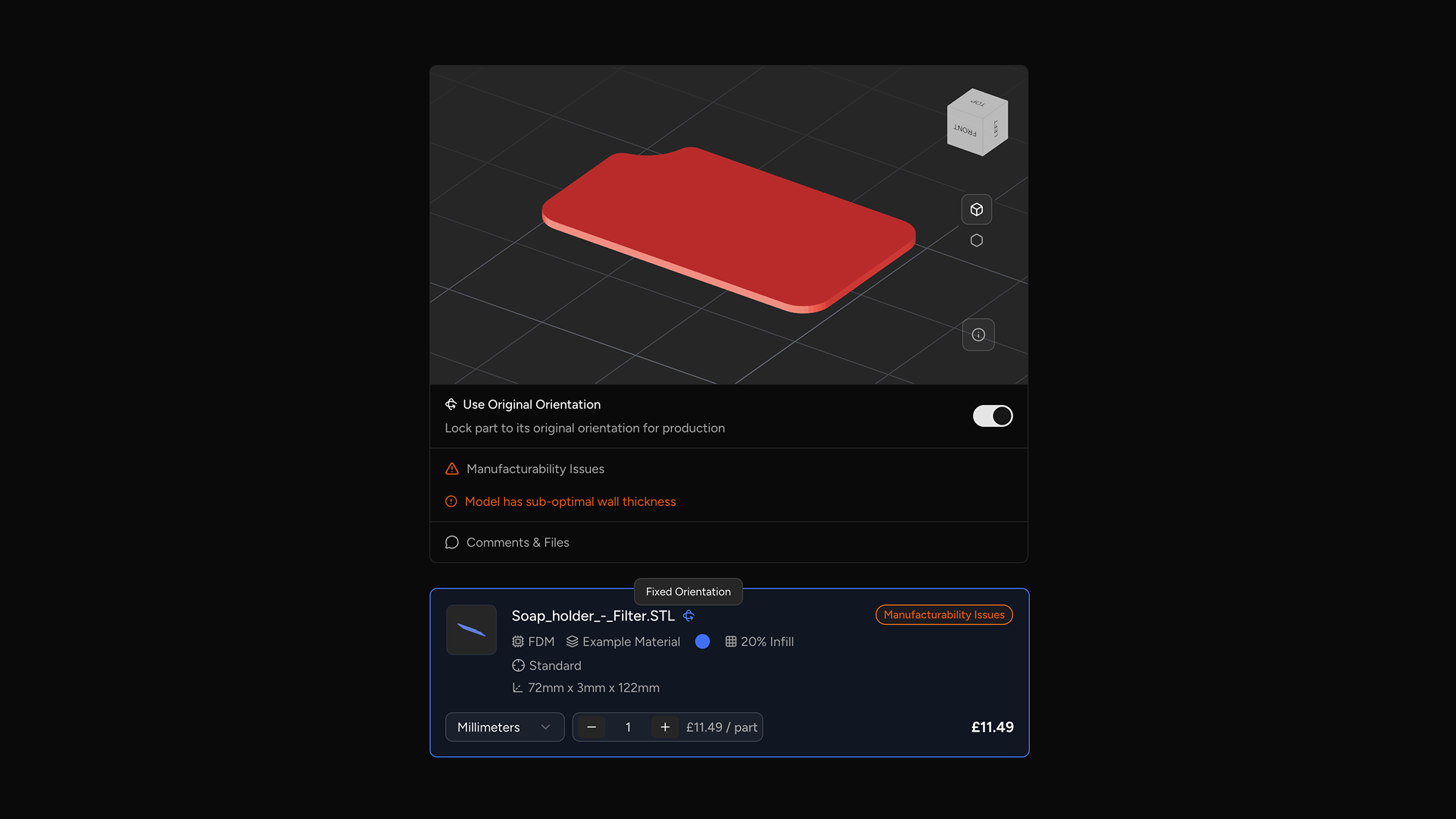
Previously, manufacturability issues were only visible inside the model viewer, making them easy to miss. Now, issues are displayed in a dedicated collapsible section alongside the model viewer — separated into errors and warnings — giving you a clear summary without needing to interact with the viewer.
Similarly, we've also improved the language around routing on storefronts. Now, checking out is more contextual, with "Save Quote" being displayed when all parts are purchasable, and "Submit for Review" when manual review is required.
Manufacturing Constraints
Customers can now choose to enforce the original orientation of their uploaded CAD file when a part goes to production.
With this new feature, customers can toggle "Use Original Orientation" to automatically place a constraint on the associated part specification. This constraint instructs nesters to print the part in the orientation of the original CAD file through CAMSPEC.
When a constraint is present on a part, you will now see anywhere that part is visible indicating that a fixed orientation constraint is applied. Similarly, parts will now be oriented in their constraint orientation when displayed through the model viewer.
This feature is opt-in, and only available to Pro and Factory Floor tier manufacturers. It can be enabled through General settings on the manufacturing platform.
Persistent Carts
Your customers' carts are now persistent and tied to their account. When a customer returns to your storefront, their open carts are listed automatically so they can resume exactly where they left off — including all process, material, lead-time, and post-processing selections.
Each cart tracks its full lifecycle from open through to order conversion, so nothing is lost between quoting and checkout. This means fewer abandoned quotes and a smoother path from upload to order for your customers.
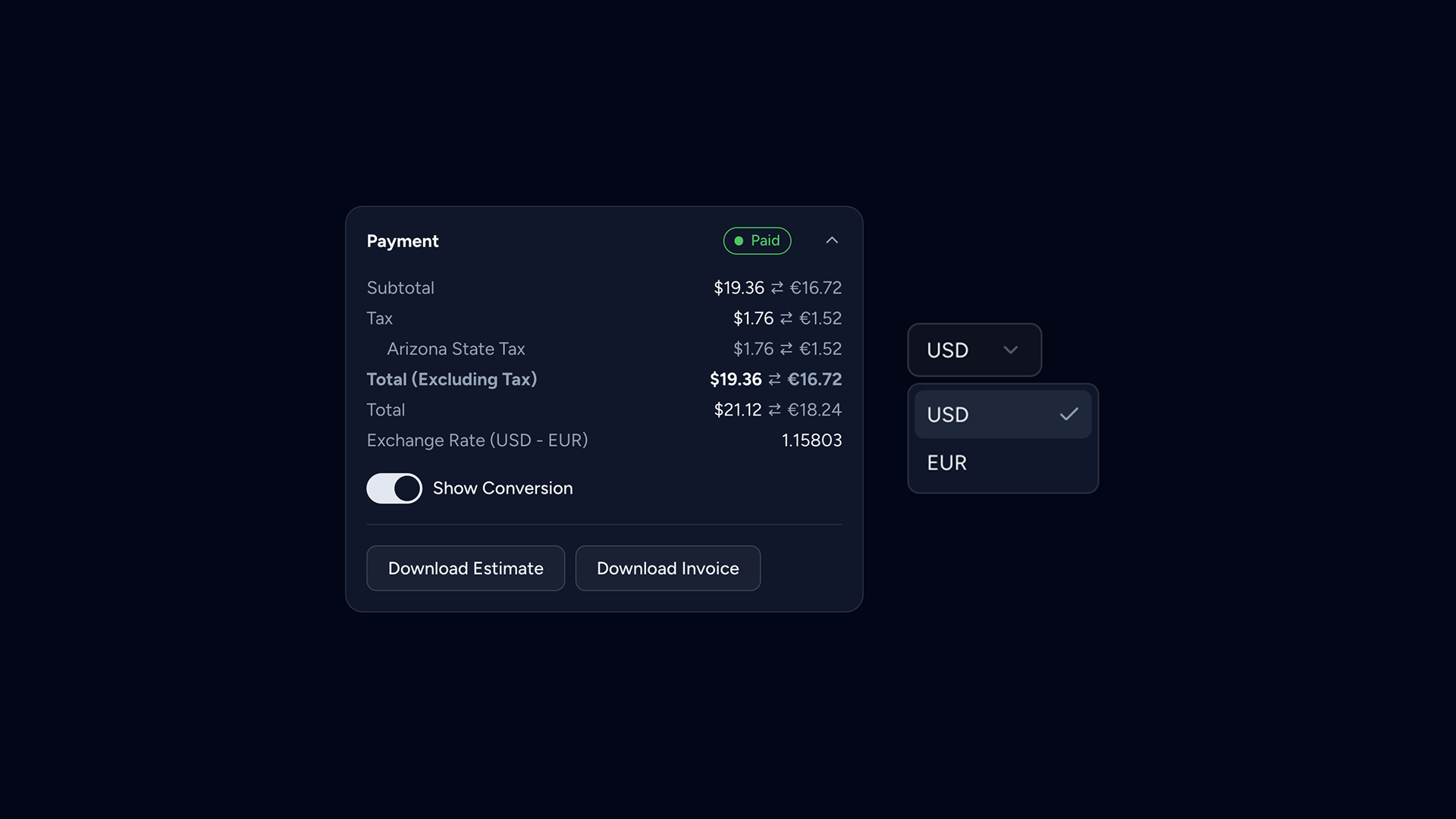
You can now accept international payments for orders and quotes. We will automatically fetch exchange rates from your payment provider where possible, otherwise falling back to live ECB and IMF rates.
These exchange rates are held for up to a day, minimising fluctuations in your customers pricing. We'll also automatically adjust exchange rates, directly offsetting FX and platform fees to ensure you as a manufacturer aren't having to foot the bill.
There are a few caveats and restrictions to multi-currency support, you can read more here.
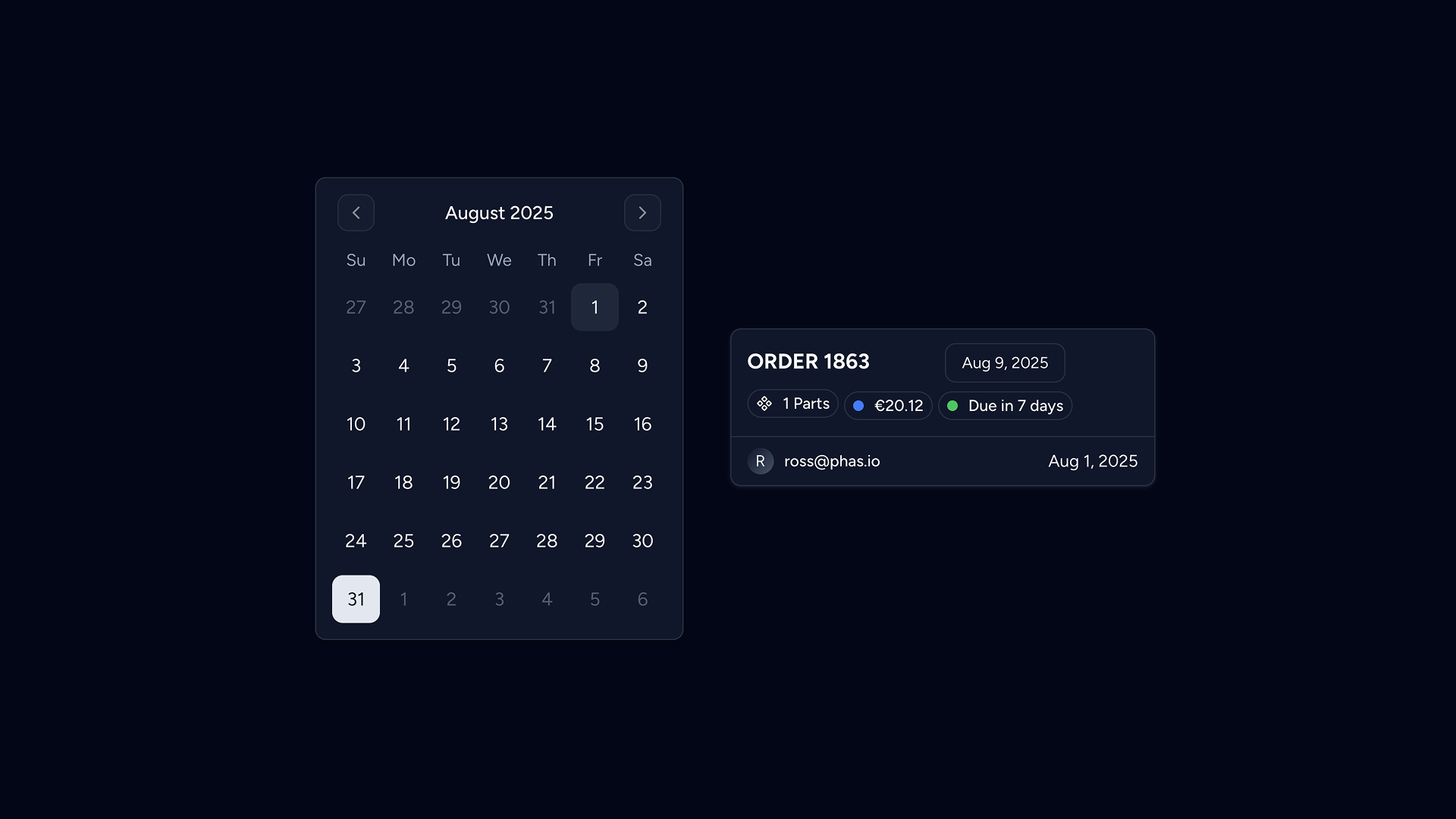
Communication of dispatch dates for part manufacturing is essential. Previously, your dispatch date was derived from a simple lead time mechanism that allowed you to define a duration range (i.e.: 2~3 days).
Lead times are now defined on the workspace level, meaning any lead time you define is available across all of your processes and post-processes. Each lead time is now associated with a buffer / grace-period for use in dispatch date estimation. Lead times are no longer associated with a pricing multiplier.
Our new dispatch date implementation takes a holistic approach to resolving issues surrounding the old system, and is the natural successor to the previous target lead time concept. You can now calculate an estimated duration to fulfil a requisition, known as the manufacturing duration, directly within your process and post-process equations.
The dispatch date is then calculated based on the durations returned from these equations, whilst also applying a general lead time buffer duration on top.
For our factory floor users, you can define durations on each of your workstations, and therefore skip calculating the estimated duration entirely in your equations.
You can read more about the specific details of configuring lead times here, and configuring dispatch dates here.
Part Intelligence
Previously, your parts were disconnected instances in your database but now, your parts have memory.
Know now whether you have seen a part before or not based on part similarity analysis. Apply previously defined manufacturing specifications or search for customer article numbers to create one-click quotes. End the mess of version control within your clients' parts
Parts become persistent, learning assets that build manufacturing knowledge with every order, so you can remember everything about every part you've ever made. No more treating identical uploads as separate parts from quoting to production.
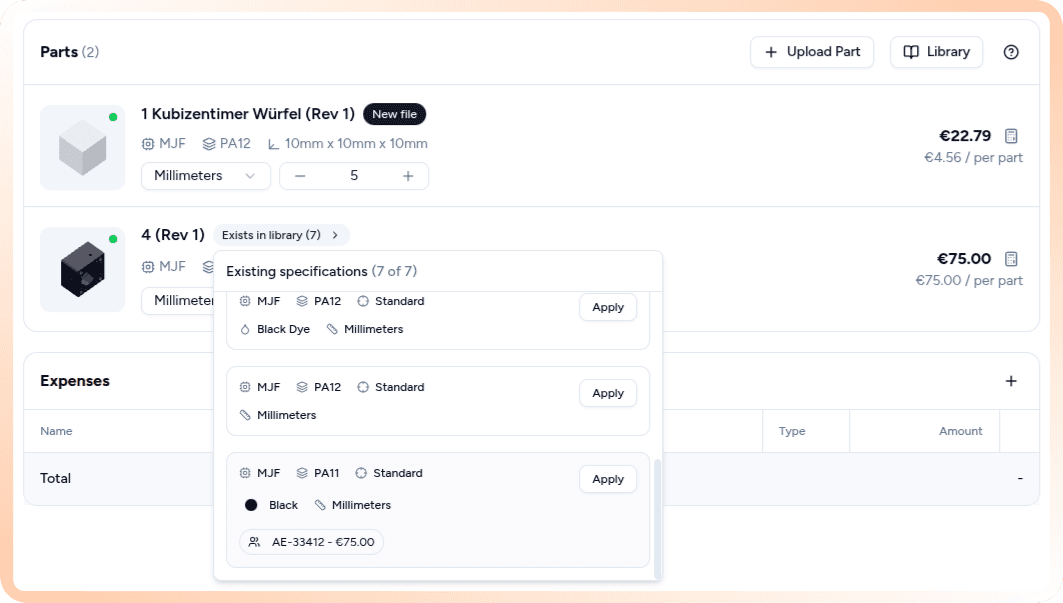
Part Intelligence—Data on its own is useless. Data in the correct context is magic.
CAMSPEC
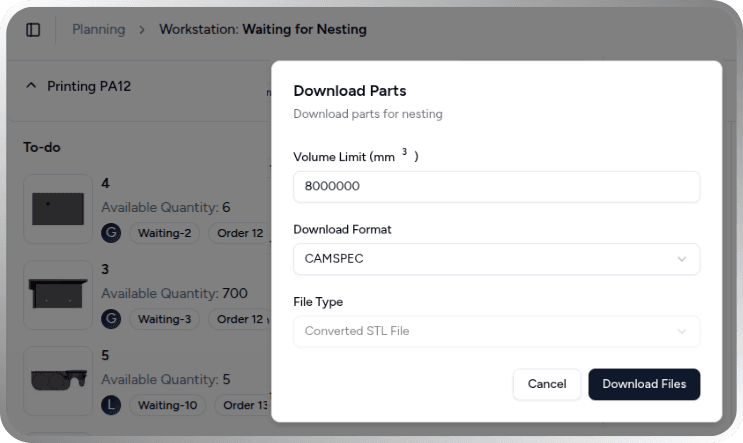
Camspec is an open source file format https://camspec.org invented by Phasio to communicate part manufacturing constraints across different tools such as nesting and slicing software required for manufacturing.
What's new:
- Automatic constraint export to production software
- Fixed orientations and requirements flow seamlessly to Dyndrite, AMISpro, 4D additive and netfabb enabling end-to-end automation from quote to production
Supercharged TypeScript Equations
Pricing that aligns with reality
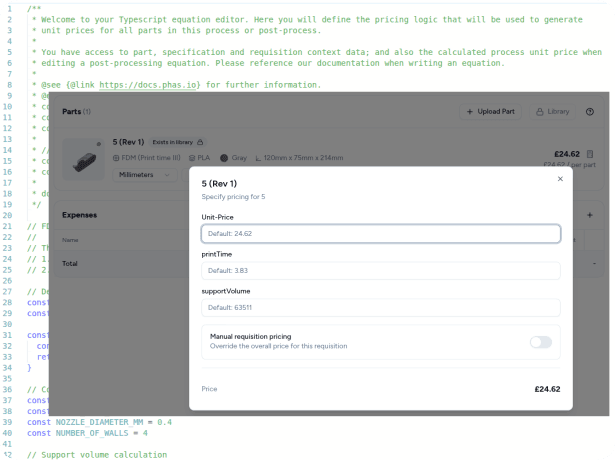
Pricing equations are now based on the powerful scripting language typescript. The equation builder interface has increased context of the part specification (process, postprocesses, wall thickness analysis)
In every equation, you can now define variables that you want to be able to adjust in real-time during quote creation. This allows you to understand how a price was calculated and to make precise adjustments to key aspects of your algorithm. For example, supportVolume (FDM), number of threaded holes (CNC), parts that fit in a build (SLS/MJF).